How to Make an AI Rap Video With Your Own Face From One Photo, or Two for a Duo (2026)
Turn one selfie into a lip-synced rap video of you rapping your own lyrics, or add a second photo and rap as a duo with a friend: what photos to use, the four steps, what it costs, and what it can and can’t do.
 Rap Video AI
Short answer: upload one clear, front-facing photo of yourself to Rap Video AI, pick a scene, add a name and one detail (or your own lyrics), and in about 2-10 minutes you download an 8 to 30 second MP4 of you rapping on beat, lip-synced, with no watermark. One photo is enough, but you’re not limited to one: add a second photo, one person each, and the two of you rap as a duo, trading lines in the same video, for the same price. No filming, no app, no editing. A standard video costs 10 credits; one video is $6.99.
1 photo, or 2 for a duo · your lyrics · 8-30 s · 9:16 or 16:9 · from $6.99
Our test: one photo in, a rap video out
This is a real render from our studio, the same one that plays on our homepage. We uploaded one full-length photo, picked a scene and an occasion, and pasted in our own lyrics. Nothing was edited afterwards.
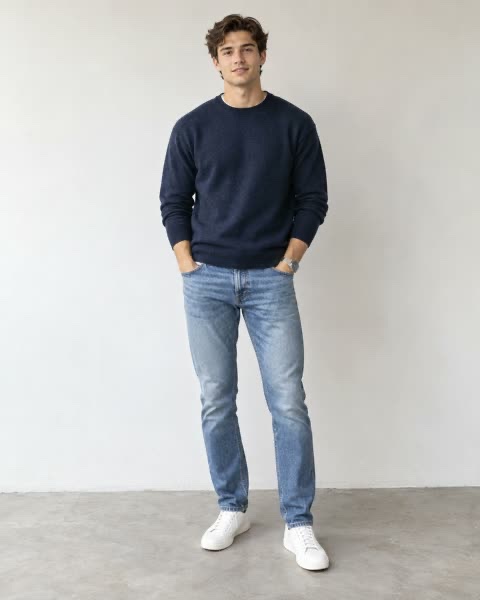
The photo we uploaded
The video we got back (sound on)
| Setting | What we picked |
|---|---|
| Photo | One full-length photo, facing the camera, plain wall |
| Scene | Recording studio |
| Occasion | None (called Just me when we made this) |
| Lyrics | "Walked in the room and the whole place froze, cold with the flow, that is how it goes. No pen, no pad, every bar brand new." (own lyrics, rapped word for word) |
| Quality and format | Pro (Seedance 2.0), 480p, 15 seconds, 9:16 |
| Cost | 15 credits at today’s prices |
Here is the editor with those settings, just before tapping Make my rap video:
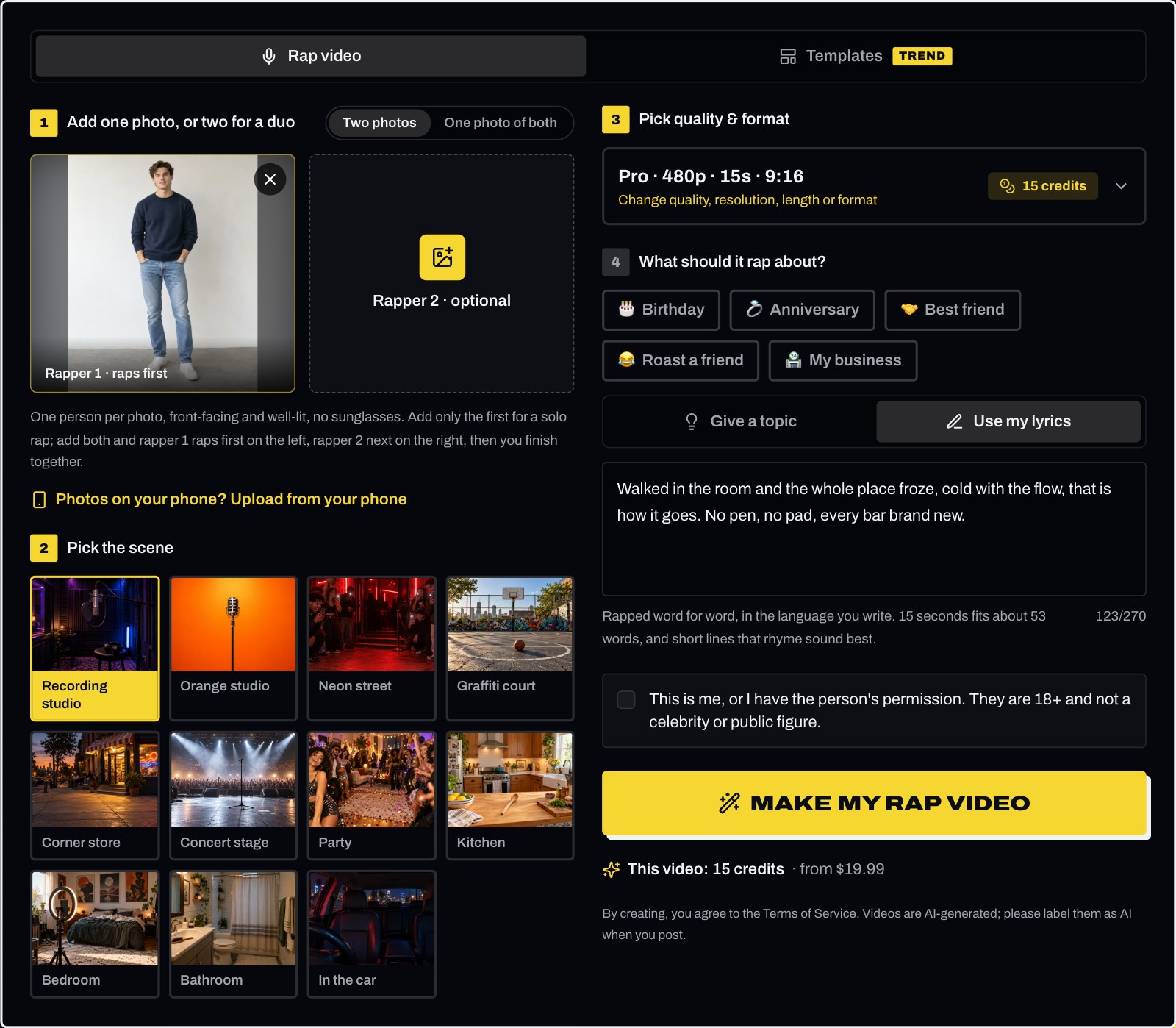
The AI kept his face and hairstyle, put him in a studio booth with headphones and a hanging mic, and generated the beat and the rapped vocals with the video. Notice what it changed: his navy sweater came out as a grey T-shirt that suits the studio. The face is what the AI holds on to; clothes can shift with the scene. The photo was full length, so his face was small in the frame; it still worked because it was sharp and well lit. A closer, half-body photo gives the AI even more detail to work with.
What you need
- One photo of your face, or two photos for a duo (one person in each). JPG, PNG, WebP, HEIC or HEIF, up to 8 MB each. A selfie taken at arm’s length in daylight is ideal.
- A name and one detail. One line is enough, like "Maya, 30 today, loves tacos and karaoke". Or bring finished lyrics.
- A free account. Sign in with Google or email. You can fill in everything first and sign in when you tap make.
- Credits. 10 for a standard video. The button shows the exact cost before you render.
- About 2-10 minutes of rendering. You can close the tab.
Which photo works best
The AI takes your face, hair and skin tone from the photo, and usually your outfit too. So the photo decides how much the rapper looks like you. For a duo, the same rules apply to both photos.
| Works well | Gives a weaker result | |
|---|---|---|
| People | Just you, alone in the photo | Group shots where your face is small |
| Angle | Facing the camera | Side profile, looking down |
| Light | Even daylight on the face | Dark rooms, hard shadows, backlight |
| Face | Nothing covering it | Sunglasses, masks, hands, heavy beauty filters |
| Framing | Half body, or full length if the face is still sharp | A tiny or blurry face, far from the camera |
Only use photos of yourself or of adults who agreed to it. Photos of celebrities, public figures or anyone under 18 aren’t allowed.
Step 1: Add one photo of your face, or two for a duo
Open the AI rap video maker and choose how many people rap:
- Two photos (the default): add your photo in the first box and you rap solo. Add a second person’s photo in the other box and you rap as a duo; the photos don’t need to be taken together. The first photo stands on the left, the second on the right.
- One photo of both: one photo of the two of you side by side, and you rap as a duo. The person on the left of the photo raps first.
Then tick the box that confirms each person is you, or an adult who gave permission. A duo costs the same credits as a solo video.
Step 2: Pick the scene
The scene sets the whole mood of the video. Every scene raps over a hard trap beat, generated fresh for every video:
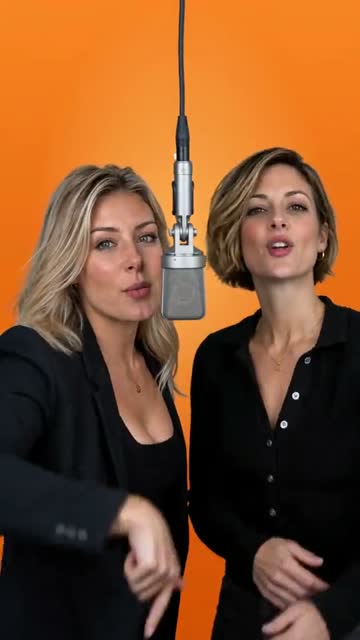
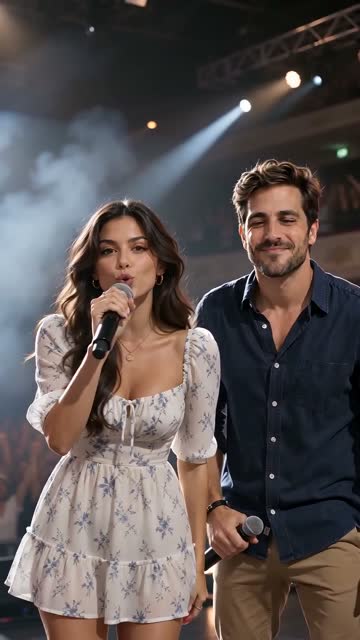
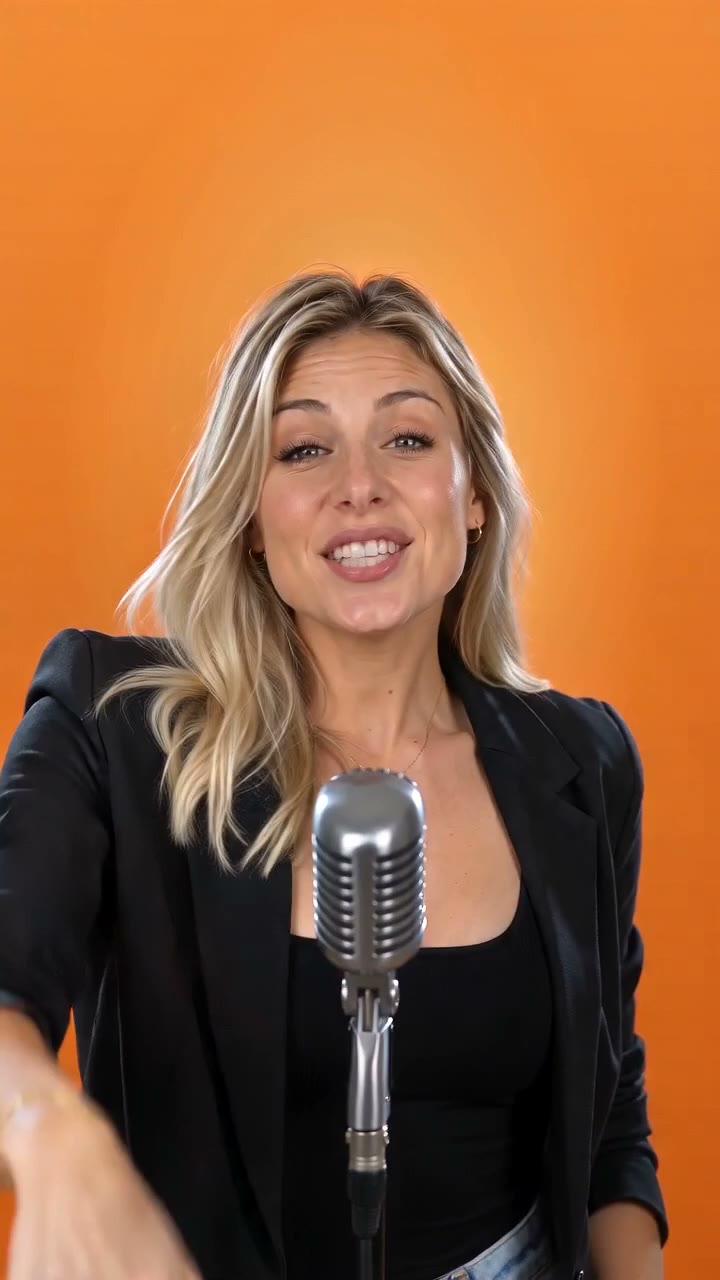
- Scenes: Recording studio (a booth with headphones and a hanging mic), Orange studio (the bright orange booth from the TikTok trend), Neon street (a crowd filming you), Graffiti court (a street basketball court in the sun), Corner store (the sidewalk at dusk, friends on the steps), Concert stage, Party (balloons and friends cheering), Kitchen (an American home kitchen, with a kitchen utensil for a mic), Bedroom (a ring light and a phone on a tripod), Bathroom (a hairbrush for a mic), or In the car, in the driver’s seat at night.
Step 3: Pick quality and format
Choose the quality tier, the length, the shape and the resolution:
| Tier (model) | 12 s at 480p | 12 s at 720p | Longest video |
|---|---|---|---|
| Standard (Seedance 2.0 Mini) | 5 credits | 10 credits | 15 s |
| Fast (Seedance 2.0 Fast) | 8 credits | 17 credits | 15 s |
| Pro (Seedance 2.0) | 12 credits | 24 credits | 15 s |
| Ultra (Seedance 2.5) | 17 credits | 37 credits | 30 s |
Lengths are 8, 10, 12 or 15 seconds, plus 20 and 30 seconds on Ultra. Pick 9:16 for TikTok, Reels and Shorts, or 16:9 for YouTube.
Step 4: Pick who it’s for and write the lyrics
Under What should it rap about?, pick an occasion if there is one (Birthday, Anniversary, Best friend, Roast a friend or My business; tap it again to clear it), then choose how much you want to write:
- A name and one detail (the default). Say who it’s for and one thing about them: "Maya, 30 today, loves tacos and karaoke". AI writes the bars around it and keeps the names as you typed them.
- Your own lyrics. Switch to Use my lyrics above the box; they are rapped word for word. Rap runs fast, about 3-4 words a second: 12 seconds fits about 42 words, 30 seconds about 105. Short lines that rhyme sound best.
- Nothing. Leave the box empty and AI raps about the occasion, or, with none picked, turns an everyday moment into a dead-serious, funny anthem.
The video raps in the language you write in: English, Spanish, Portuguese, French and many others.
Then tap Make my rap video. Rendering takes about 2-10 minutes. Leave the page if you like: the video waits under Your recent videos. Download it as an MP4 with the audio and no watermark.
If a render errors or times out, the credits go straight back to your balance. If the video is made but the video provider’s safety check blocks it, the provider still bills that render, so those credits are used.
Can one photo really look like you?
Usually, yes, if the photo is good. Everything the AI knows about you comes from that one picture, so:
- It keeps your face, hairstyle and skin tone, usually your clothes, and animates your mouth, head, shoulders and hands to the beat.
- It invents whatever the photo doesn’t show: the parts of your body outside the frame, your back, the scene around you. It may also restyle your clothes to suit the scene, like the sweater that became a T-shirt in our test.
- It can drift when the photo is dark, blurry, side-on or filtered. A brighter, straighter photo changes the result more than any setting.
Test a new photo on Standard at 480p (5 credits for 12 seconds), then make the version you’ll post on a higher tier at 720p.
What it can’t do
- Rap over an existing song. The beat and vocals are generated with the video; uploading your own track isn’t supported yet.
- Clone a real artist’s voice or song. Prompts never name real artists, and the provider blocks outputs that sound like existing recordings.
- Render 1080p or 4K. 720p is the highest quality.
- Fit three or more people. Two rappers at most: two photos, or one photo of the two of you.
How a rap duo from two photos works
With Two photos, the two people stand side by side on the same mic, each keeping the face, hair and outfit from their own photo. The person on the left raps first while the one on the right hypes them up, then they switch (more than once in videos of 15 seconds or longer, when AI writes the lyrics), and they land the hook together. A duo costs the same credits as a solo video of the same tier, length and resolution.
Ideas that work well as a duo: a birthday rap with a friend for someone you both love, a love song with your partner, or a friendly roast battle with your best friend. For photo tips, lyrics for two and rap battles, see how to make an AI rap video of two people rapping together.
Posting it on TikTok, Reels or Shorts
- Download the MP4 and save it to your phone.
- Upload it in the app. A 9:16 video needs no cropping.
- Turn on the AI-generated content label: TikTok, Instagram and YouTube ask creators to label realistic AI videos.
- Add a caption. A friend’s name in the lyrics plus a tag is an easy way to get a reaction video back.
Videos are for personal use or promoting your own business on your own social accounts, not for paid ads.
Ready in about 2-10 minutes. Renders that error or time out are never charged.
Frequently asked questions
- Can I make an AI rap video with my own face?
- Yes. Upload one clear, front-facing photo of yourself to Rap Video AI and it makes an 8 to 30 second video of you rapping on beat, with the beat, the rapped vocals and the lip sync generated together. You don’t film anything. Add a second photo and a friend raps next to you as a duo.
- Can AI turn a single photo into a realistic rapping video?
- Yes, with a good photo. One well-lit, front-facing photo is enough for the AI to keep your face and hair and animate your mouth, head and hands to the rap. Results vary: a dark, blurry or side-on photo gives a less recognizable rapper, and 720p on a higher tier looks more detailed than 480p on Standard.
- Can I upload a picture of myself and make it rap to a song?
- To your lyrics, yes; to an existing song, not yet. The video raps the words you write (or lyrics AI writes from your idea) over a new beat generated with the video. Uploading your own track isn’t supported.
- How much does it cost?
- A standard video (Standard tier, 720p, 12 seconds) is 10 credits, and any video is 4 to 93 credits depending on tier, length and resolution. One video is $6.99, bigger packs bring a standard video down to about $3.23, and there are no free videos. A render that errors or times out is never charged.
- Can I add a friend to the video?
- Yes. Switch to "Two photos", add one photo per person, and the two of you trade lines as a rap duo in the same video, for the same credits as a solo video.
- Do I need an app?
- No. It runs in the browser on iPhone, Android, Mac or Windows. Sign-in with Google or email is free.