How to Make an AI Rap Video of Two People Rapping Together (2026)
Make a rap duo video of you and a friend from two photos: which photos to take, how the two of you trade lines, how to write lyrics for two, rap battle ideas, and what it costs.
 Rap Video AI
Short answer: take one clear, upper-body photo of each person, open Rap Video AI, switch to Two photos and add both. Pick a scene and who it’s for, and in about 2-10 minutes you download an 8 to 30 second MP4 of the two of you side by side on the mic, trading lines and finishing together, lip-synced, with no watermark. A duo costs the same as a solo video: 10 credits for a standard video, and one video is $6.99.
2 photos, one person each · you trade lines · 8-30 s · from $6.99
Rapping alone? See how to make an AI rap video with your own face from one photo.
Our test: two photos in, a rap duo out
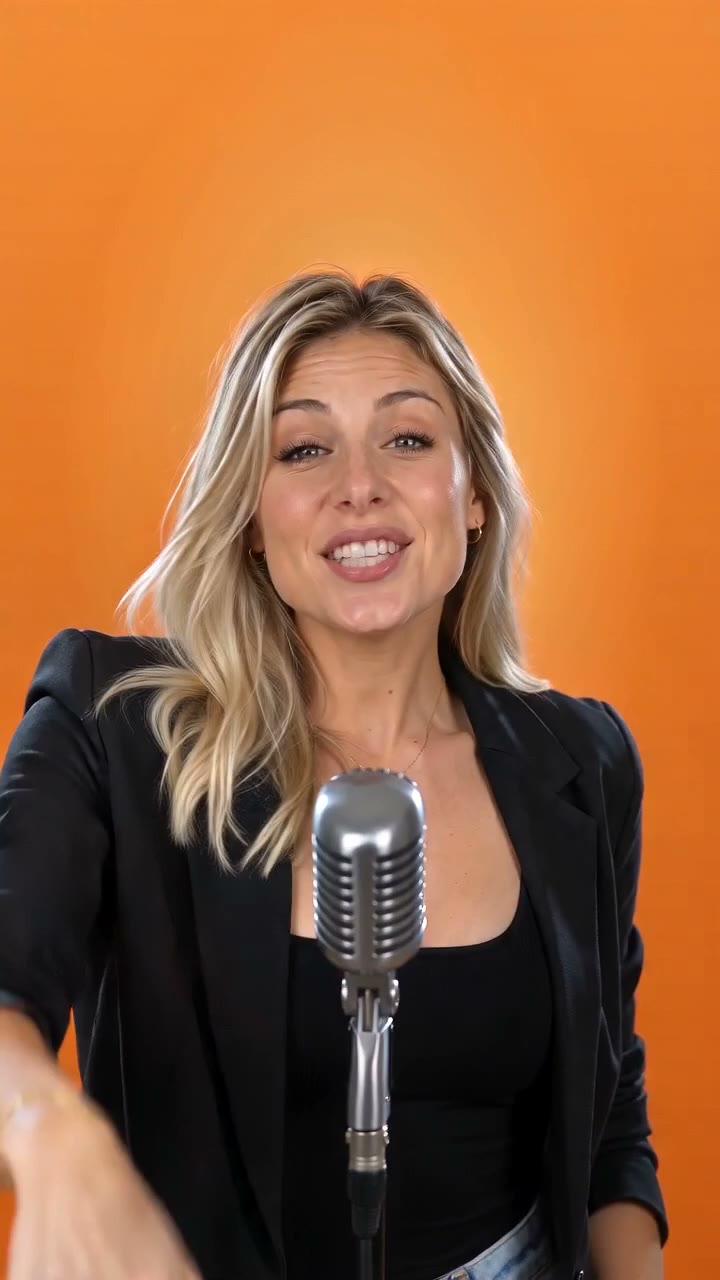
This duo is a real render from our studio, made from two separate portraits, one person each, in two different rooms. Nothing was edited afterwards.
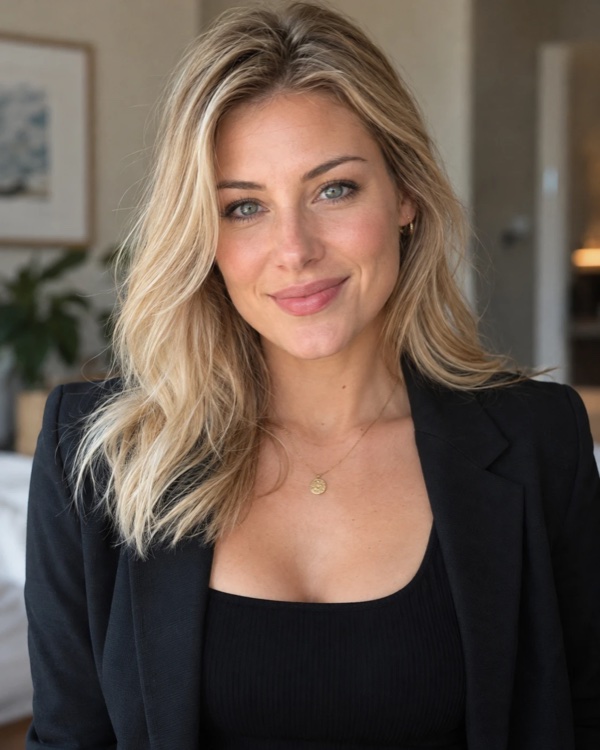
Photo 1 (rapper 1)

Photo 2 (rapper 2)
The duo video (sound on)
What happened, frame by frame:
- Photo 1 stands on the left and photo 2 on the right, side by side at one hanging silver mic in front of a glowing orange wall.
- Both faces and hairstyles carried over: the long blonde waves on the left, the short brown bob on the right. Both kept their black outfits too.
- They perform together: pointing at the camera, a fist in the air, mouths moving with the rap.
- It’s short: this one is 8 seconds and 9:16. At 8 seconds each person only gets a line or so, which is why we suggest 12 seconds for a duo where each person should be heard. Longer videos trade turns more often instead; see the 15-second test below.
The two photos have what makes a duo work: one person each, facing the camera, chest up, soft even light, nothing covering the face.
Here is the studio in two-photo mode with the orange scene selected. Rapper 1 is the first slot and rapper 2 the second:
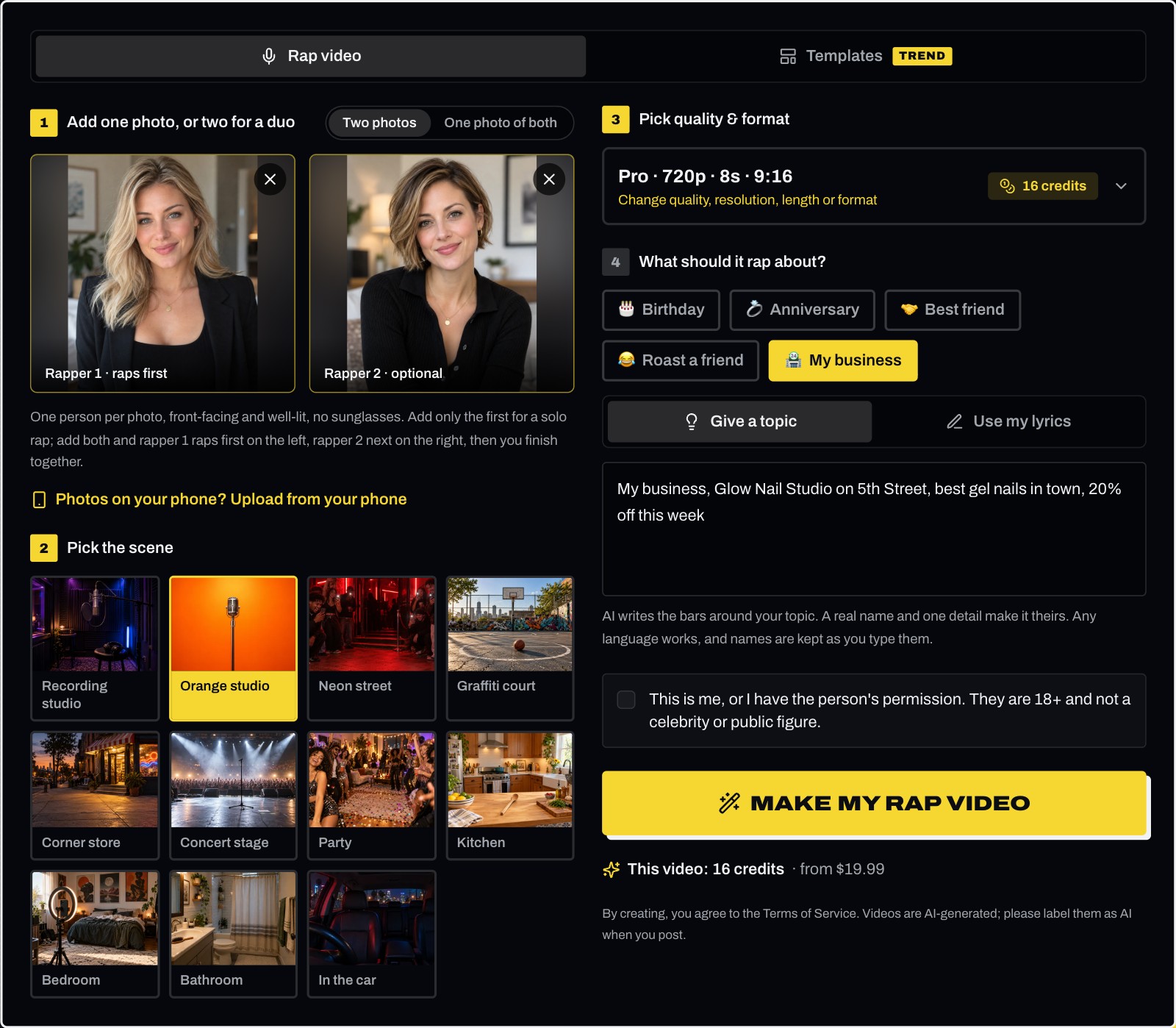
These are the exact settings the duo above was made with: Pro (Seedance 2.0), 720p, 8 seconds, 9:16, 16 credits, and one line about a nail studio under My business. Pick your own occasion and words.
What you need
- Two photos, one person in each. JPG, PNG, WebP, HEIC or HEIF, up to 8 MB each. They don’t have to be taken together: your friend can send a selfie from another city.
- Permission. Both people are you, or adults who agreed to be in the video.
- Both names and one detail. One line is enough, like "happy birthday Maya, love from Jess".
- A free account with Google or email, and 10 credits for a standard video.
- About 2-10 minutes of rendering.
Take two clear solo photos, or one clear photo of you both
You have two ways in. Two photos, one person each, give each face the most detail. One photo of both works too, if the two of you stand side by side, facing the camera, with both faces large and sharp: the person on the left of the photo raps first. What doesn’t work well is cutting a group photo in two: the faces come out small and soft, and the AI copies that blur.
| Do this | Avoid | |
|---|---|---|
| People | One person per photo, or the two of you side by side | Groups of three or more, or a group photo cropped in two |
| Framing | Upper body, from the waist or chest up | Tiny faces, full body from far away |
| Angle | Facing the camera | Side profiles, looking down at the phone |
| Light | Even daylight on the face | Dark rooms, hard shadows, backlight |
| Face | Nothing covering it | Sunglasses, masks, hands, heavy filters |
| The pair | Similar light and framing in both photos | One sharp photo next to one blurry one |
The easiest way: both people take a selfie at arm’s length, facing a window, within the same minute. The result looks like the two of you were filmed together.
Step 1: Switch to Two photos and add both
Open the duo AI rap video maker and switch to Two photos. Add the photos in the order you want them on stage:
- Rapper 1 (first photo) stands on the left and raps first.
- Rapper 2 (second photo) stands on the right and raps next.
Tick the box that confirms both people are you, or adults who gave permission.
Step 2: Pick the scene
Scenes from the studio, the street and home (Recording studio, Orange studio, Neon street, Graffiti court, Corner store, Concert stage, Party, Kitchen, Bedroom, Bathroom, In the car), all over a hard trap beat. For a duo, the Orange studio gives the two of you one hanging mic to share, like the trend on TikTok; the Neon street puts a crowd around you, which suits a battle; the Recording studio and Concert stage work for anything.
Making it for the holidays? The Templates tab at the top of the studio has Halloween and Christmas: each sets its own scene, beat and outfits for the two of you, so you skip this step, and the words in step 4 become optional.
Step 3: Pick quality and format
Choose the tier (Standard, Fast, Pro or Ultra), 480p or 720p, the length (8, 10, 12 or 15 seconds, or 20 and 30 on Ultra), and 9:16 or 16:9. With two people, 16:9 gives each of you more room; 9:16 is the shape for TikTok and Reels.
Step 4: Pick who it’s for and write the lyrics
Under What should it rap about?, pick an occasion if there is one (Birthday, Anniversary, Best friend, Roast a friend or My business; tap it again to clear it), then:
- Both names and one detail (Give a topic, the default). Name both people and the occasion: "Maya and Jess, best friends since kindergarten". AI writes the bars, keeps every name and makes them part of the hook.
- Your own lyrics. Switch to Use my lyrics above the box; they are rapped word for word. Write them in performance order: rapper 1’s part, then rapper 2’s part, then a closing line or hook for both. You can’t assign each line to a person; the AI decides exactly where each part starts. Rap is fast, about 3-4 words a second: 12 seconds fits about 42 words.
- Nothing. Leave it empty and AI raps about the occasion.
The duo raps in the language you write in.
Tap Make my rap video. In about 2-10 minutes the video is under Your recent videos, ready to download as an MP4 with no watermark. A render that errors or times out is never charged; one the provider’s safety check blocks after rendering is still billed.
How the two of you trade lines
Every duo video follows the same order:
- Rapper 1 raps on the left while rapper 2 hypes them up.
- Rapper 2 raps on the right while rapper 1 hypes them up.
- Both rap the last lines together, side by side.
When AI writes the lyrics, longer videos repeat steps 1 and 2 before the ending: two exchanges at 15 or 20 seconds, three at 30. Your own lyrics are rapped in one exchange, in the order you write them.
We tested two exchanges with the same two photos: Birthday, the Party scene, Trap, Standard, 480p, 15 seconds, and one line typed in, "Happy 30th birthday to Maya, she loves tacos and karaoke". Nothing was edited afterwards.
Two exchanges in 15 seconds (sound on)
- 0-3 s: rapper 1 (left) opens with Maya's 30th.
- 3-5.5 s: rapper 2 (right) answers.
- 6-8.5 s: rapper 1 again, on the tacos.
- 9-11.5 s: rapper 2 again, on the karaoke.
- 12-15 s: both together, ending on "Happy 30th".
The camera moved in on whoever was rapping, and only that person's mouth moved; the other one smiled beside them or stepped out of frame. Both kept their faces, hair and black outfits.
Each person keeps the face and hair from their own photo, usually the outfit too, and both are lip-synced to their part. Pick the length by what you want: 12 seconds gives each person the longest single turn, about 4 seconds; 15 seconds and up trade turns more often, with each turn about 3 seconds.
Ideas for a two-person rap video
| Idea | Occasion | Names and detail to try |
|---|---|---|
| Birthday duet | Birthday | "Happy birthday Maya, love from Jess, she loves tacos" |
| Couple’s love rap | Anniversary | "Alex and Sam, five years together, still dancing in the kitchen" |
| Best friends shout-out | Best friend | "Leo and Max, the gym bros who never skip leg day" |
| Rap battle | Roast a friend | "Sam vs Leo, who is the worst driver" |
| Siblings roast | Roast a friend | "Big sis Nina roasts little bro Tom for always being late" |
How to make an AI rap battle video
A rap battle is a duo with the Roast a friend occasion:
- Add a photo of each rival.
- Pick the Neon street scene for a crowd, or the Concert stage.
- Type the matchup in the names box, like "Sam vs Leo, who is the worst driver", or write each side’s disses yourself, rapper 1’s first.
The two take turns dissing each other and finish the last lines together. Keep it friendly: lyrics or videos meant to harass or insult someone aren’t allowed.
What it can’t do
- Three or more people. Two rappers at most.
- Assign each line to a person. The order is fixed: left, right, then both.
- Rap over an existing song. The beat and vocals are generated with the video.
- Render above 720p.
Posting your duo video
Download the MP4, upload it to TikTok, Reels or Shorts, and turn on the AI-generated content label. Tag the other person: their reaction is half the fun. Videos are for personal use or promoting your own business on your own accounts, not for paid ads.
Same price as a solo video. Renders that error or time out are never charged.
Frequently asked questions
- Can I create an AI rap video featuring two people rapping together?
- Yes. On Rap Video AI, switch to "Two photos" and add one photo per person. The two of them stand side by side on the same mic and trade lines: rapper 1 on the left raps first, rapper 2 on the right raps next, then they rap the last lines together. When AI writes the lyrics, videos of 15 seconds or longer trade turns again before the ending. A duo costs the same credits as a solo video.
- Can AI make two people rap together from one photo?
- Yes. Switch to "One photo of both" and add a photo of the two of you side by side, both faces front-facing and well lit: the person on the left raps first, the one on the right next. Two separate photos, one person each, work too and give each face more detail. Don’t crop a group photo in two: the faces come out small and soft.
- Do the two photos need to be taken together?
- No. Each person can send a selfie from anywhere. The AI puts them side by side in the scene you pick. Photos with similar light and framing look the most natural together.
- Can I choose which person raps which line?
- Not line by line. The person on the left always raps first, the person on the right next, and both rap the ending together; when AI writes the lyrics, videos of 15 seconds or longer repeat the left-right exchange before the ending. Your own lyrics are rapped in one exchange: write them in that order, and the AI decides exactly where each part starts.
- How much does a two-person rap video cost?
- The same as a solo video of the same tier, length and resolution: a standard video (Standard tier, 720p, 12 seconds) is 10 credits. One video is $6.99. There are no free videos, and a render that errors or times out is never charged.
- Can I make an AI rap battle video?
- Yes. Use two photos with the Roast a friend occasion and the matchup in the names box, like "Sam vs Leo, who is the worst driver", on the Neon street or Concert stage scene. The two trade disses and finish together. Keep it friendly: lyrics meant to harass or insult someone aren’t allowed.