How to Make an AI Rap Video With Your Own Lyrics, in Any Language (2026)
Type your own lyrics and get a video of you rapping them word for word, in English, Spanish, Portuguese, French or another language: how many words fit each length, how to write bars that sound good, and our Spanish test render.
 Rap Video AI
Short answer: open Rap Video AI, add one photo of yourself, switch to Use my lyrics and paste your lyrics into the box. In about 2-10 minutes you download a video of you rapping exactly those words, in the language you wrote them in, over a beat generated with the video. Plan about 3.5 words per second of video: 28 words for 8 seconds, 42 for 12.
Any language · word for word · 8-30 s · from $6.99
Our test: four lines of Spanish, rapped word for word
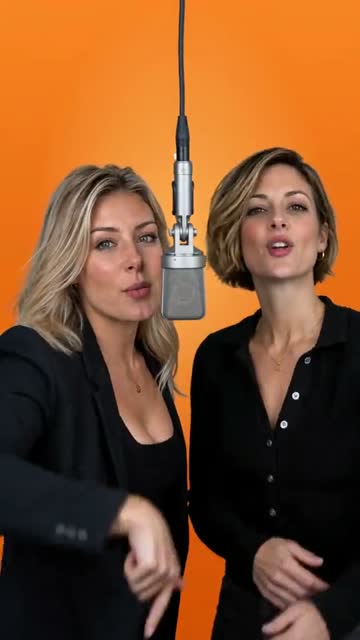
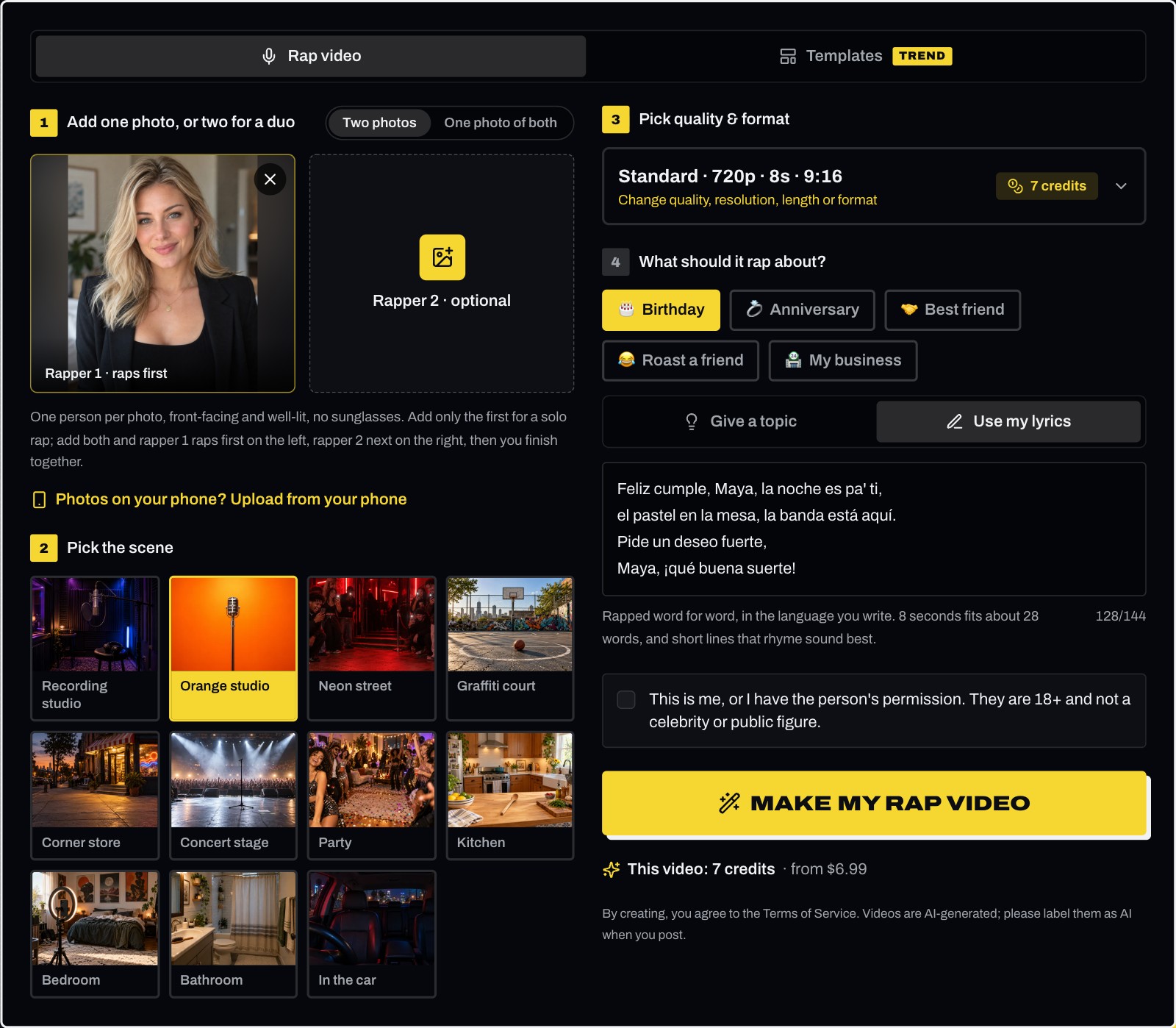
This is a real render from our studio, made for this guide. We uploaded one photo, typed four short lines of Spanish birthday lyrics, had them rapped word for word and picked the cheapest settings. Nothing was edited afterwards.
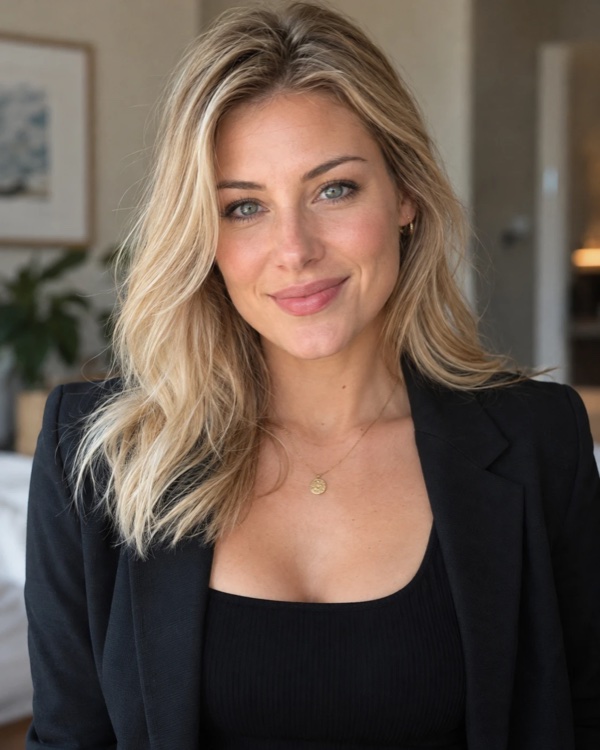
The photo we uploaded
The video we got back (sound on)
| Setting | What we picked |
|---|---|
| Scene | Orange studio |
| Occasion | Birthday |
| Lyrics (own, word for word) | Feliz cumple, Maya, la noche es pa’ ti, / el pastel en la mesa, la banda está aquí. / Pide un deseo fuerte, / Maya, ¡qué buena suerte! |
| Quality and format | Standard (Seedance 2.0 Mini), 720p, 8 seconds, 9:16 |
| Cost | 7 credits |
What came back:
- All four lines, in order, in Spanish. The rap starts about one second in and lands the last line, "¡qué buena suerte!", right at the 8-second mark. An automatic transcription of the audio picked up every line in the same order.
- Her face, hair and blazer carried over from the photo, in front of the orange wall, rapping into a standing mic with her hands moving on the beat.
- 25 words filled 8 seconds. That’s a little under the 28 the editor suggests, which left room for a short intro on the beat.
Here is the editor with exactly those settings, just before tapping Make my rap video:
How many words fit
Rap is fast, about 3.5 words a second, and the lyrics box caps you at 18 characters per second. Pick the length before you write:
| Length | About this many words | Character limit | Tiers |
|---|---|---|---|
| 8 seconds | 28 | 144 | All |
| 10 seconds | 35 | 180 | All |
| 12 seconds | 42 | 216 | All |
| 15 seconds | 53 | 270 | All |
| 20 seconds | 70 | 360 | Ultra |
| 30 seconds | 105 | 540 | Ultra |
Don’t write far less than that, either. With too few words, the rapper slows down and starts half-singing to fill the time. Close to the word count, with short lines, gives the tightest flow.
Step by step
- Add your photo. One clear, front-facing photo, or switch to Two photos for a duo. Then pick a scene.
- Pick the length first under Pick quality & format, because it sets how much you can write. The counter above the box shows how many characters you have left.
- Paste your lyrics under What should it rap about?: pick the occasion, switch to Use my lyrics, and paste them into the box. With Give a topic, the box is read as a topic, and AI writes its own bars around it.
- Tap Make my rap video. In about 2-10 minutes the MP4 is under Your recent videos, with no watermark.
How to write lyrics that sound good when AI raps them
- Short lines that rhyme at the end. Four lines of 6-10 words fill 8-12 seconds. End rhymes give the rapper the landing points it locks the flow to.
- One line, one breath. Put a comma or a line break where a rapper would breathe. Long lines without a break get rushed.
- Names early and again at the end. Say the name in the first line and repeat it in the last: it’s what makes a birthday or love rap feel personal.
- Write numbers as words. "Twenty-five candles" raps cleaner than "25 candles".
- Spell names the way they sound if one comes out wrong, and keep slang to what you’d actually say out loud.
- One language per line. Mixing languages works best when each line stays in one language.
- Write your own words. Lyrics from a released song belong to their writers; this is for bars you wrote.
Lyrics in Spanish, Portuguese and French
The video raps in the language you type. Here are birthday lines that fit 8 seconds, to adapt with your own name and detail:
| Language | Lyrics for 8 seconds |
|---|---|
| Spanish (our test) | Feliz cumple, Maya, la noche es pa’ ti, / el pastel en la mesa, la banda está aquí. / Pide un deseo fuerte, / Maya, ¡qué buena suerte! |
| Portuguese | Parabéns, Lucas, hoje a festa é sua, / bolo na mesa e a galera na rua. / Faz o pedido agora, / Lucas, ninguém vai embora. |
| French | Joyeux anniversaire Léa, ce soir c’est ta nuit, / le gâteau sur la table, toute la bande est ici. / Fais un vœu, vas-y, / Léa au micro, la salle applaudit. |
| English | Happy birthday Maya, tonight it’s on you, / cake on the table and the crew coming through. / Make a wish, make it loud, / Maya on the mic and the whole room proud. |
The slashes mark line breaks; type each part on its own line.
Your own lyrics or a name and one detail?
| Your own lyrics (Use my lyrics) | A name and one detail (Give a topic, default) | |
|---|---|---|
| What you type | The full lyrics | One line: "Maya, 25, loves tacos" |
| What gets rapped | Exactly your words | Bars AI writes around your line |
| Language | The language you write in | The language you write in |
| Best for | Inside jokes, a poem, lines you already wrote | A quick birthday or shout-out |
Your lyrics for two people
With Two photos, write the lyrics in the order they’re performed: rapper 1’s part, then rapper 2’s part, then a closing line both rap together. Rapper 1 is on the left, rapper 2 on the right. You can’t assign single lines to one person; the AI decides exactly where each part starts. See how to make two people rap together in one video for photo tips and rap battle ideas.
What it can’t do
- Upload your own song or beat. The beat and the rapped vocals are generated with the video.
- Use your own voice. The voice is an AI rapper’s; it doesn’t clone yours.
- Assign lines to each rapper in a duo. The order is fixed: left, right, then both.
- Go past the character limit. For more lyrics, pick a longer video (20 or 30 seconds on Ultra).
- Rap a released song’s lyrics you don’t own, or lyrics meant to harass or insult someone.
For a first video from one photo, start with how to make an AI rap video with your own face from one photo.
Your words, your language · renders that error or time out are never charged
Frequently asked questions
- Can AI rap my own lyrics word for word?
- Yes. On Rap Video AI, switch to "Use my lyrics" and paste your lyrics. The video raps exactly what you wrote, over a beat generated with it, lip-synced to your photo. With "Give a topic", the box is read as a topic and AI writes its own bars around it.
- Can I make an AI rap video in Spanish or another language?
- Yes. The video raps in the language you write in: Spanish, Portuguese, French, English and many others. Our test video on this page raps four lines of Spanish birthday lyrics. If you leave the box empty, AI writes the bars in English.
- How many words can I write?
- About 3.5 words per second of video: about 28 words for 8 seconds, 42 for 12 seconds, 53 for 15 seconds, and 105 for 30 seconds on the Ultra tier. The box allows 18 characters per second (144 for 8 seconds, 540 for 30 seconds) and shows a counter as you type.
- Can I upload my own song or my own voice?
- No. You type the lyrics; the beat and the rapped vocals are generated with the video. Uploading your own track or recording isn’t supported, and the voice is an AI rapper’s, not a clone of yours.
- Can two people rap my lyrics?
- Yes. Add two photos and write the lyrics in performance order: rapper 1’s part, then rapper 2’s part, then a closing line for both. The AI decides exactly where each part starts; you can’t assign single lines to one person.
- How much does it cost?
- The same as any video: 4 to 93 credits depending on tier, length and resolution. Our 8-second test on Standard at 720p was 7 credits, and a standard 12-second video is 10 credits. One video is $6.99, and a render that errors or times out is never charged.